Awareness Lab: AI-Personalised Practice Flows
«Awareness Lab» is a mobile meditation app that offers a variety of meditations and courses, daily exercises, and coaching using AI to help you relax and focus.
Project Overview
Role
Product Designer
Product
B2C
Team
Developer, Founder
Timeline
Freelance
Objective
Objective
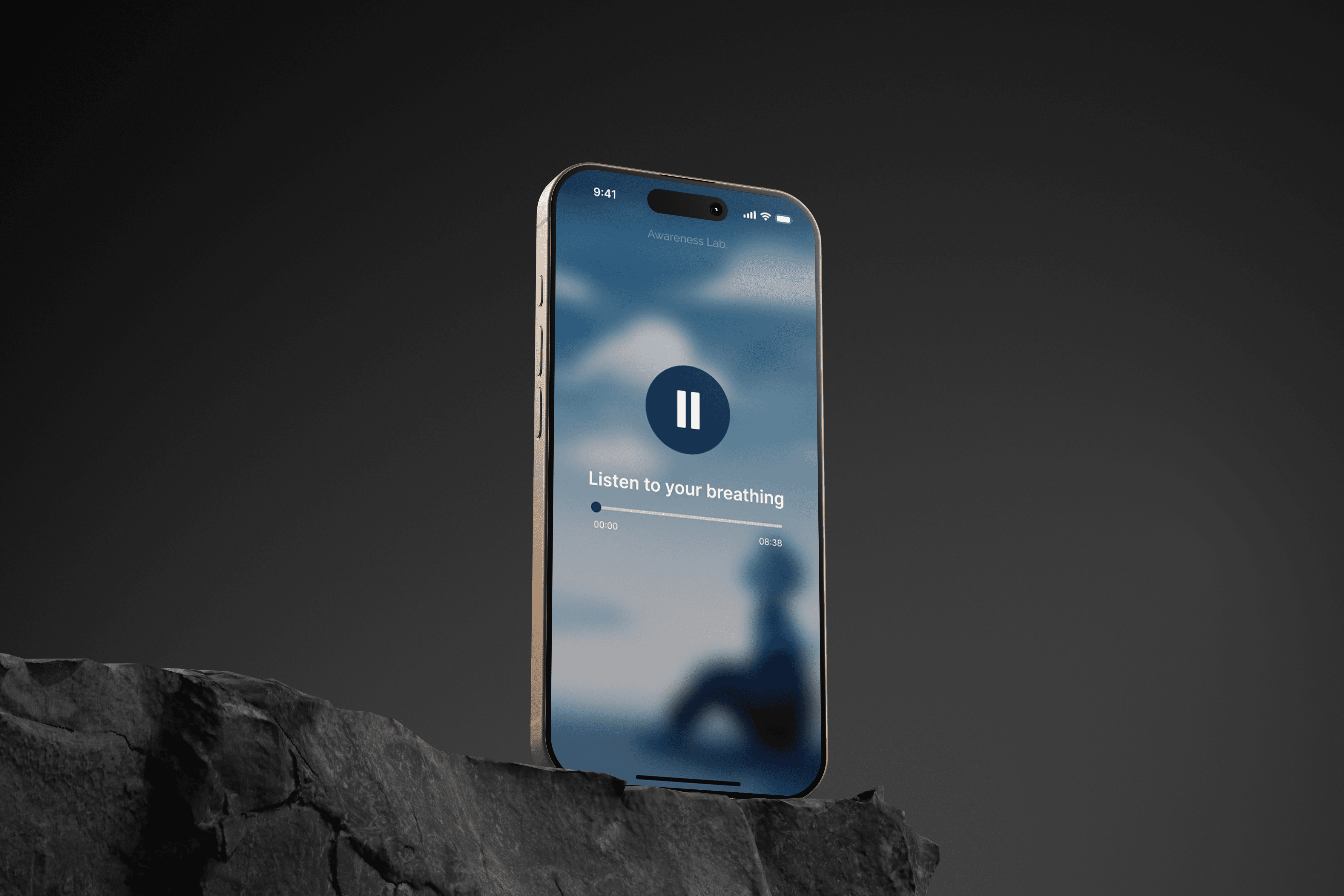
To relaunch Awareness Lab as the next generation of meditation apps - with a focus on minimalism, instant access, and intelligent personalization with the addition of an AI assistant for meditation selection.
Awareness Lab aims to eliminate the key user frustrations that characterize most such services: complex choices, intrusive monetization, and overloaded interface.
It's important to retain the essence - meditation without the overload.
Outcomes
Outcomes
Reduced cognitive load by simplifying navigation and removing unnecessary choices.
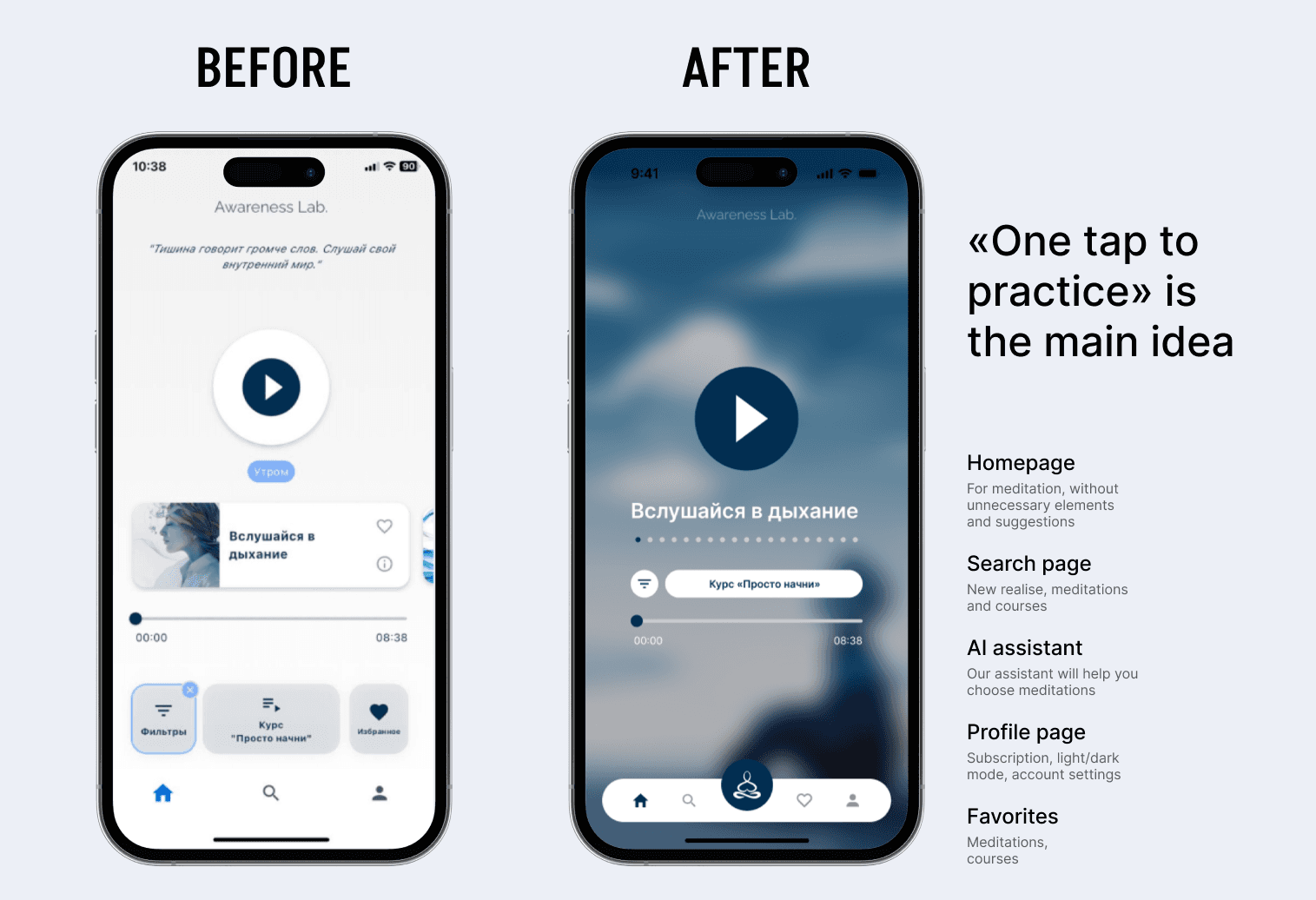
Faster access to meditation sessions through a “one-tap to practice” experience.
More relevant practice recommendations enabled by AI-powered personalisation.
Clearer and calmer interface, reinforcing the idea of “meditation without overload.
Improved perceived trust and product quality by reducing intrusive monetisation patterns.
Stronger positioning of Awareness Lab as a minimalist, AI-assisted meditation app.
My role
My role
Owned end-to-end product design, from research to final UI.
Conducted 40+ user interviews and competitor analysis to inform redesign decisions.
Built a scalable design system with light/dark themes.
Redesigned the full app UI, improving flows around “one-tap to practice” and AI personalisation.
Aligned UX and visuals with a minimalist, distraction-free meditation experience.
Challenges
Challenges
Lack of visual focus: the main screen is overloaded with texts and secondary elements, causing the main action (meditation) to be lost.
Lack of visual focus: the main screen is overloaded with texts and secondary elements, causing the main action (meditation) to be lost.
Opaque structure: transitions between screens were not obvious. Filters and categories looked like a static list rather than a selection tool.
Opaque structure: transitions between screens were not obvious. Filters and categories looked like a static list rather than a selection tool.
Lack of subscription screen: not showing what a meditation or course that is only available by subscription looks like, the screen itself.
Lack of subscription screen: not showing what a meditation or course that is only available by subscription looks like, the screen itself.
Lack of visual hierarchy: interface elements were not prioritized by visual weight, and everything looked equally important, making navigation difficult.
Lack of visual hierarchy: interface elements were not prioritized by visual weight, and everything looked equally important, making navigation difficult.
Design Strategy
Design Strategy
Reduce cognitive overload by simplifying navigation, content structure, and visual hierarchy.
Reduce cognitive overload by simplifying navigation, content structure, and visual hierarchy.
Establish a clear primary action to help users start a meditation session instantly.
Establish a clear primary action to help users start a meditation session instantly.
Design a “one-tap to practice” experience to minimise decision fatigue.
Design a “one-tap to practice” experience to minimise decision fatigue.
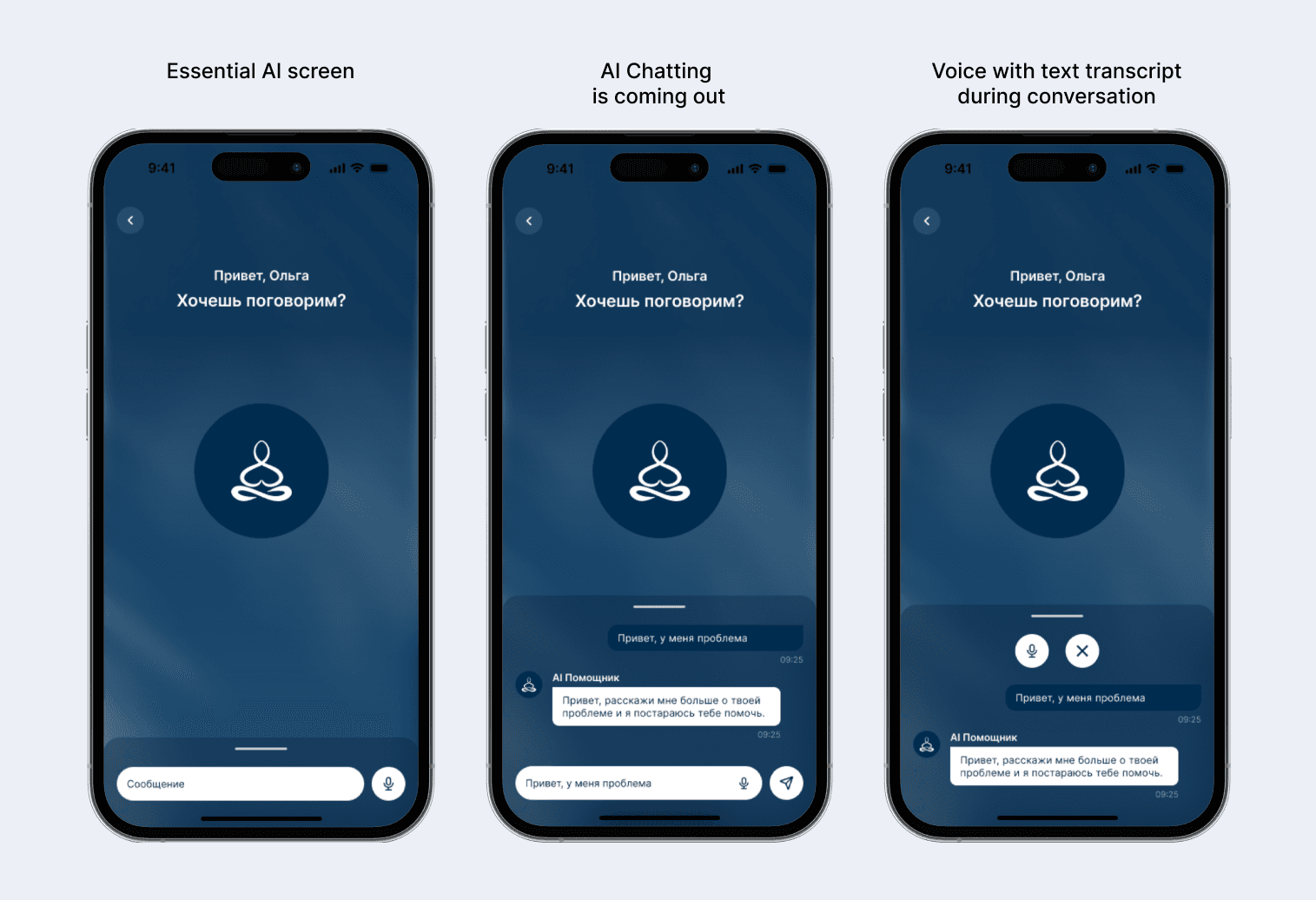
Introduce AI-powered guidance to help users discover relevant practices without manual searching.
Introduce AI-powered guidance to help users discover relevant practices without manual searching.
Balance personalisation with minimalism to preserve a calm, distraction-free experience.
Balance personalisation with minimalism to preserve a calm, distraction-free experience.
Create a cohesive and calming visual system that reinforces trust and emotional comfort.
Create a cohesive and calming visual system that reinforces trust and emotional comfort.
Design Process
Design Process
01. New Homepage: One-Tap Practice, Dynamic Atmosphere & Personalised Discovery
01. New Homepage: One-Tap Practice, Dynamic Atmosphere & Personalised Discovery
02. AI Assistant: Personalised Meditation Guidance via Chat & Voice
02. AI Assistant: Personalised Meditation Guidance via Chat & Voice
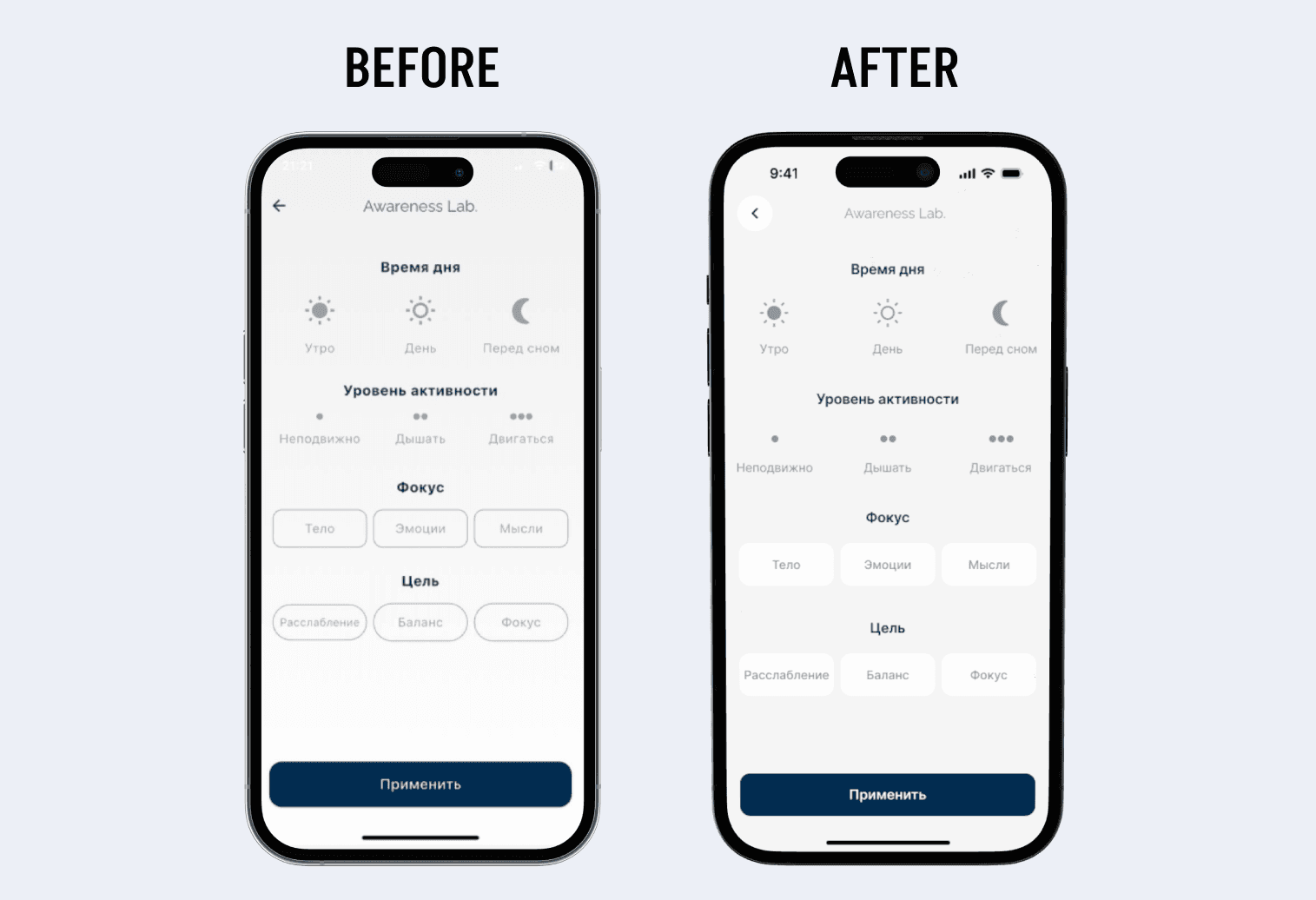
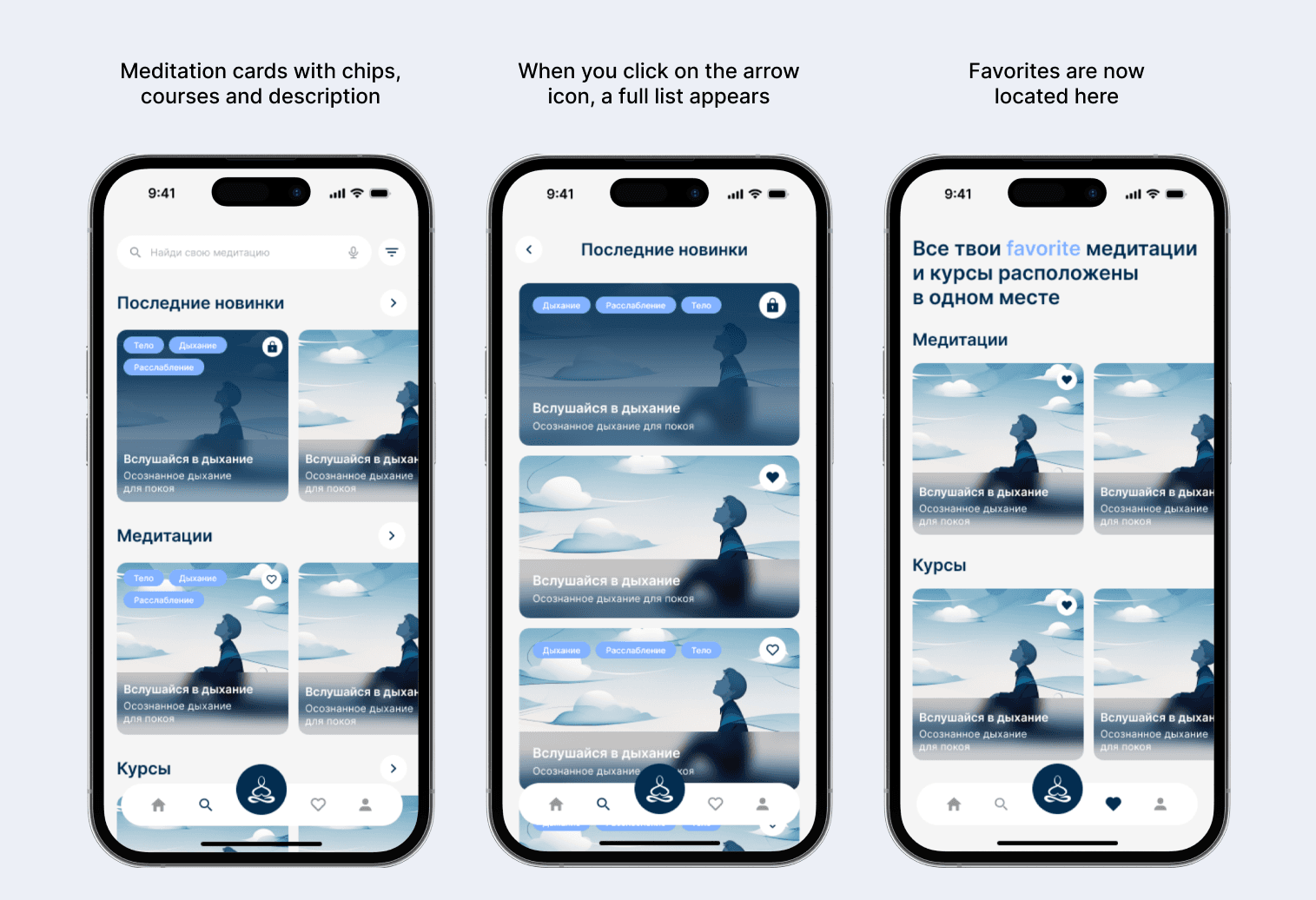
03. Filters Upgrade: Cleaner Controls & Visual Consistency
03. Filters Upgrade: Cleaner Controls & Visual Consistency
04. Search & Favorites: Faster Discovery and Better Content Access
04. Search & Favorites: Faster Discovery and Better Content Access
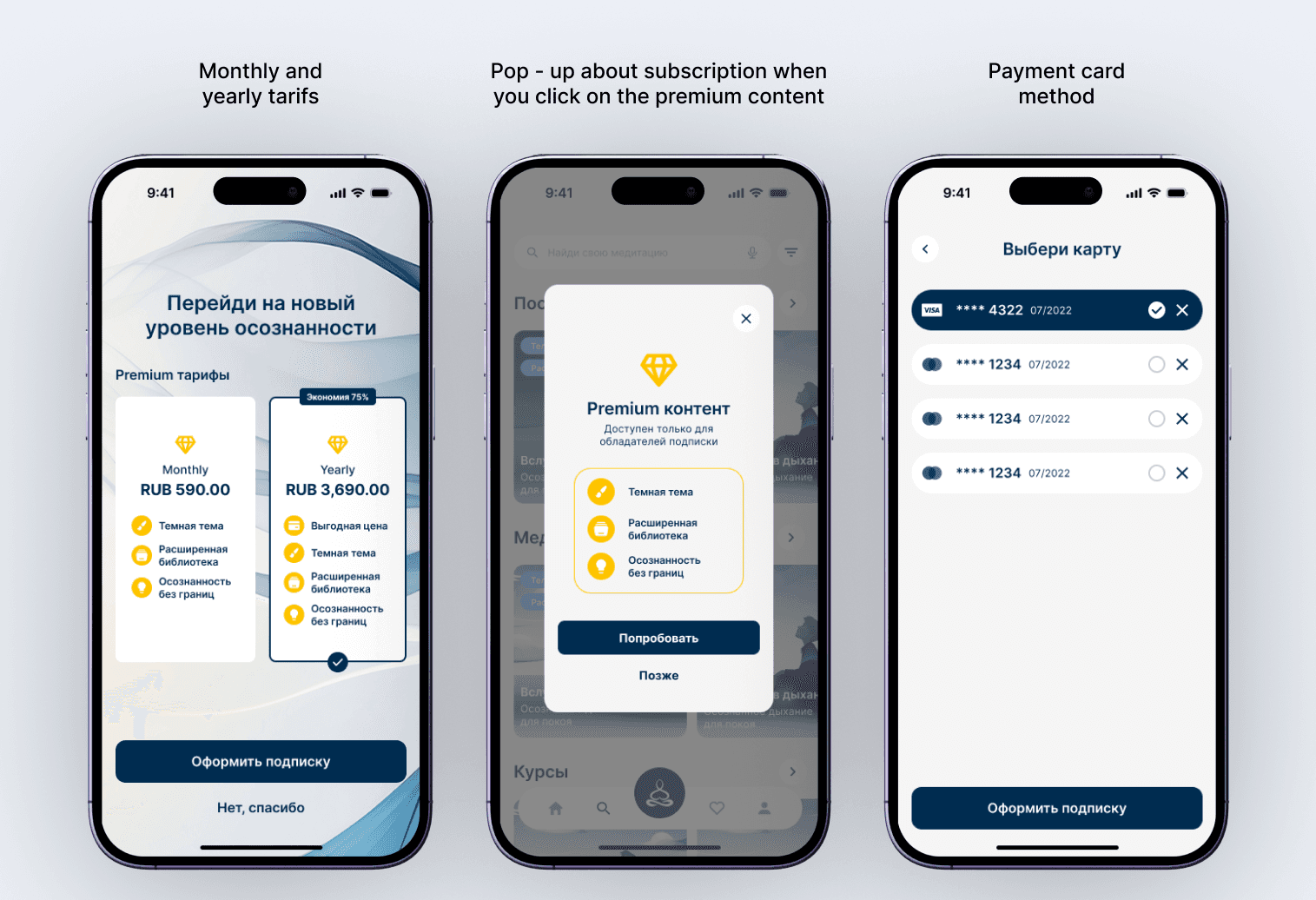
05. Subscription Flow: Clear Value & Frictionless Checkout
05. Subscription Flow: Clear Value & Frictionless Checkout
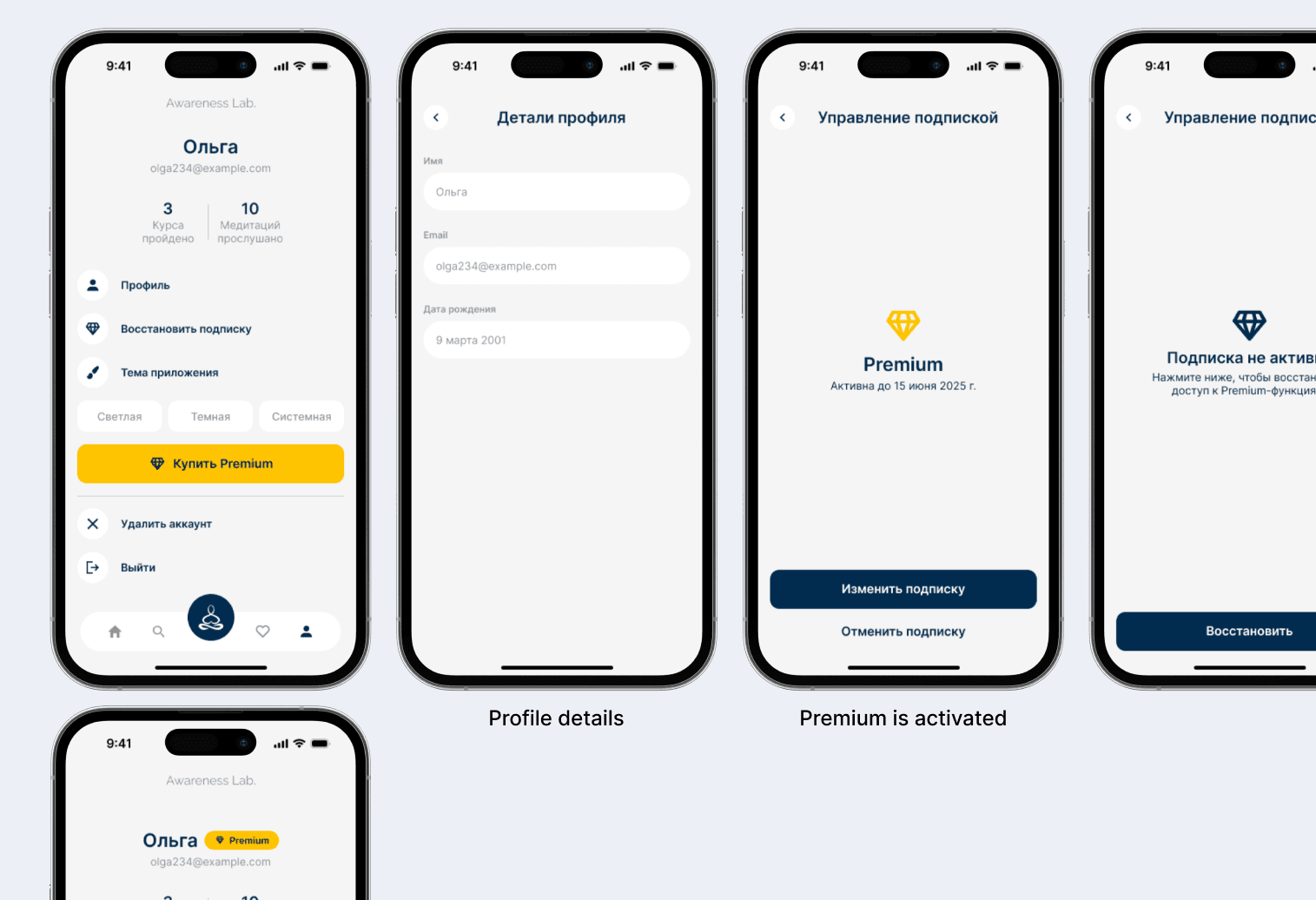
06. Profile Page: Clear Account Control & Progress Tracking
06. Profile Page: Clear Account Control & Progress Tracking
Key Learnings
Key Learnings
Clear primary actions improve focus and usability and thoughtful personalisation improves relevance without friction.
Fewer choices reduce cognitive load and increase engagement.
AI works best as guidance, not control.
Minimal UI still requires strong hierarchy and structure.
More works
More works



Let's Work Together!
+33 06 41428946
Let's Work Together!
+33 06 41428946
Let's Work Together!
+33 06 41428946